Cadencea Vault · for music producers
Every project. Every DAW. One lossless vault.
Cadencea Vault keeps your sessions organized on your own drive and pushes a bit-for-bit copy to the cloud when you’re ready. Share whole projects with collaborators, not just the bounce.
- Windows and macOS
- No transcoding, ever
- Your folders stay where they are
- Free app
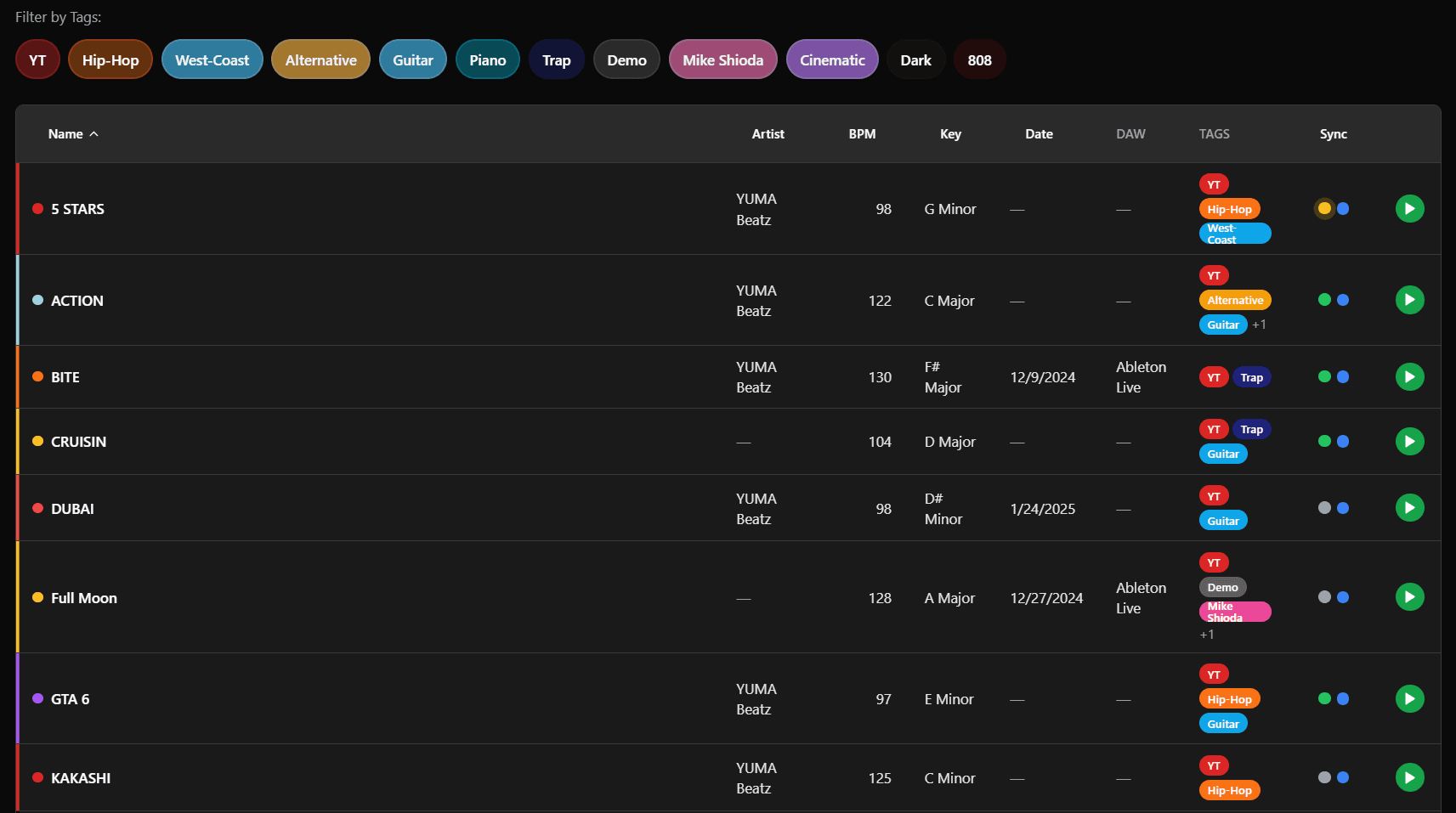
What it does
Built around how producers actually work.
Lossless, bit for bit
Audio and project files are stored exactly as you saved them. Cadencea never transcodes, normalizes or compresses your audio.
Sync you can read
Every file is compared by content hash, so each project shows whether it's synced, modified, local-only or cloud-only. You push when you're ready.
Share the whole session
Invite collaborators to a project with roles. They open the project file, stems and artwork, not a bounce. Collaborators join with a free account.
Your drive stays the master
Projects remain normal folders on your computer and open in your DAW as before. Cadencea Vault works offline; you choose what to push to the cloud and when.
Works with the DAW you already use.
- Ableton Live
- FL Studio
- Logic Pro
- Pro Tools
- Cubase
- Reaper
- Reason
And anything else that saves projects to a folder. Cadencea Vault never changes how your DAW opens a project.
Why not just a cloud folder?
Cloud folders sync files. Cadencea Vault understands projects.
What it sees
- A cloud folder
- Files
- Cadencea Vault
- Projects: folder, artwork, BPM, key, tags, notes
When it uploads
- A cloud folder
- Whenever a file changes
- Cadencea Vault
- When you push
Conflicts
- A cloud folder
- "Conflicted copy" files
- Cadencea Vault
- Per-file status before you push or pull
Sharing
- A cloud folder
- Shared folders with edit or view access
- Cadencea Vault
- Project invites with roles, plus a per-file view of a collaborator's changes before you pull
Listening
- A cloud folder
- A preview of one file at a time
- Cadencea Vault
- An in-app player with waveforms, next to each project
Free app. Pay only for cloud space.
The app and your local library are free. Cloud plans start at €4.99 a month for 50 GB.