Organize, share and back up your music projects.
Not sure which Mac you have? Apple menu → About This Mac. “Chip: Apple M…” means Apple Silicon; “Processor: Intel” means Intel.
Key wheel
Find every project in the right key.
Browse your catalog on an interactive circle of fifths. Pick a major or minor key and the library filters instantly, which is ideal for building sets or finding the idea that fits a topline.
- Major and minor keys
- Camelot-style wheel
- One-click filtering
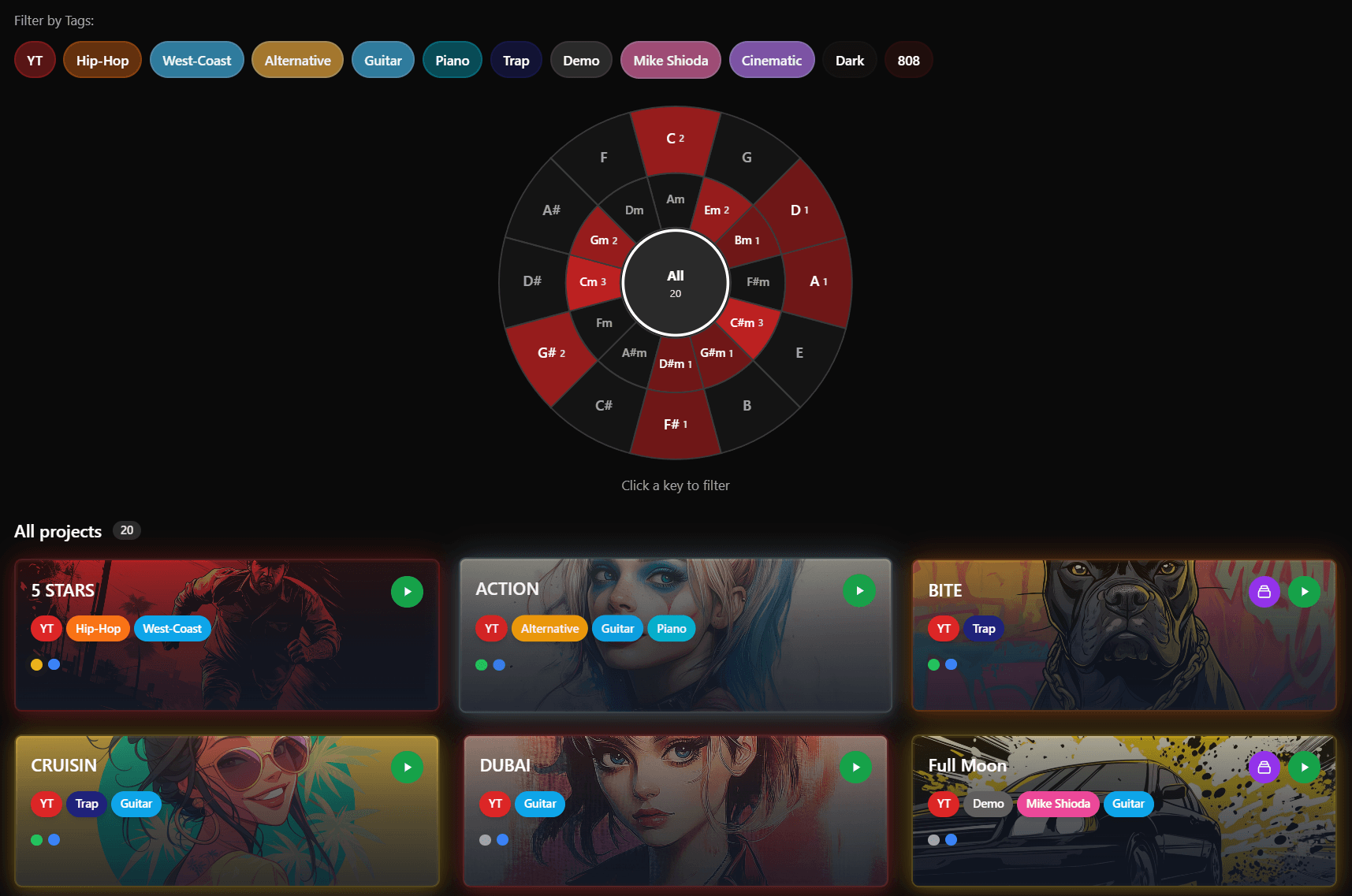
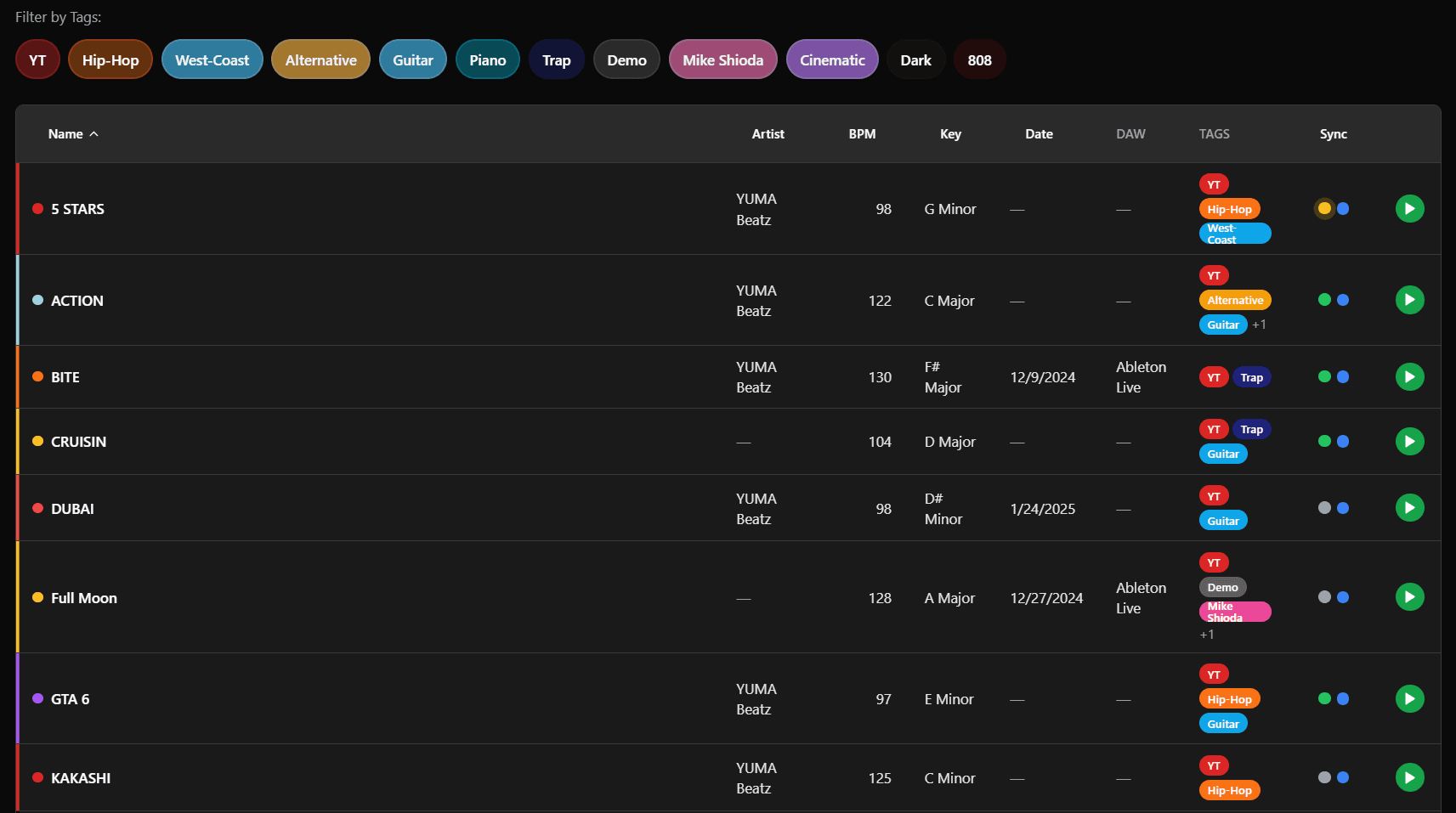
Table view
Every detail, sortable.
See artist, BPM, key, date, DAW, tags and sync status for every project, and sort by any column to surface exactly what you need.
- BPM, key and metadata
- Sync status per project
- Filter by tag
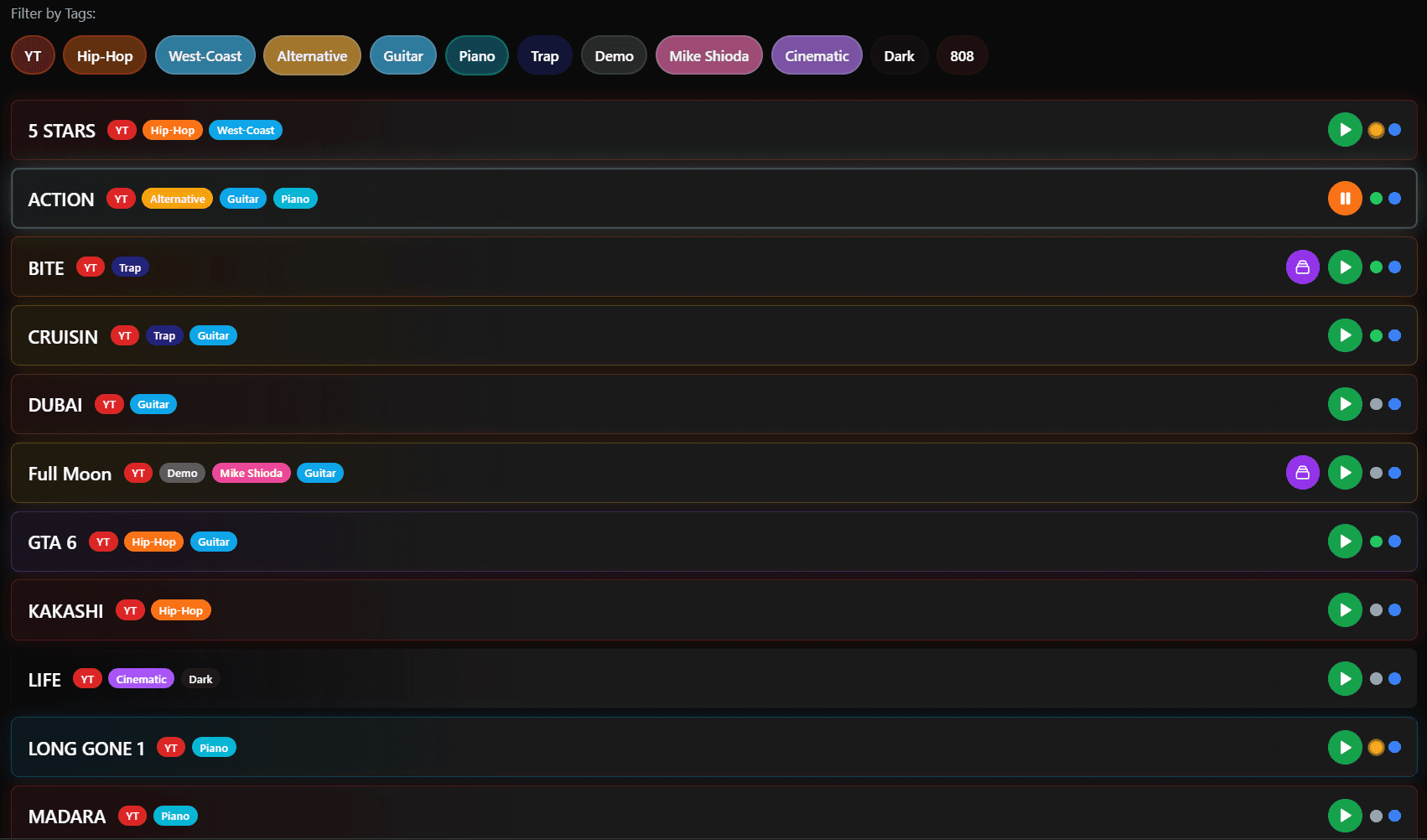
List view
Hundreds of projects, no clutter.
A compact list fits more of your catalog on screen, with tags, sync status and playback one click away.
- Dense layout
- Instant playback
- Color-coded tags
What it does
Three jobs, done carefully.
Organize, back up and share, without moving or converting anything.
Organize
Projects stay as normal folders on your drive. Cadencea Vault adds BPM, key, tags, artwork and notes without moving or renaming anything.
Back up
Push a lossless copy when you're ready and see which projects have changes that aren't backed up yet. Sync status comes from content hashes, so you know exactly which files changed.
Share
Invite collaborators to a project with roles. They open the full session (project file, stems and artwork) with a free account.
Promises you can check
- Normal folders on your drive
- Works offline
- Never transcoded or normalized
- Encrypted in transit (TLS)
- Downgrading never deletes files
- Export your account data anytime
Pricing
Free app. Pay only for cloud space.
Start with 5 GB free. Paid plans go up to 500 GB.
Specs
System requirements.
Windows
- Windows 10 or later
- 64-bit processor
- 4 GB RAM minimum
- 2 GB free disk space, plus room for your projects
macOS
- macOS 12 Monterey or later
- Apple Silicon or Intel
- 4 GB RAM minimum
- 2 GB free disk space, plus room for your projects
Linux
Planned. No date yet.