Skip to content

LOKI Delay Mini

Free

Added to your Cadencea account.

  • Five character voices: Clean, Warm, Tape, BBD and Broken
  • Sync to the host, set your own BPM, or set the time in milliseconds
  • Tap tempo
  • Feedback up to 200 %, with an endless loop past 100 %
  • LoFi, modulation, and high-pass and low-pass filters you can link
  • Ducking and ping-pong
  • 14 factory presets

No computer limit · Installs with Cadencea Vault (free)
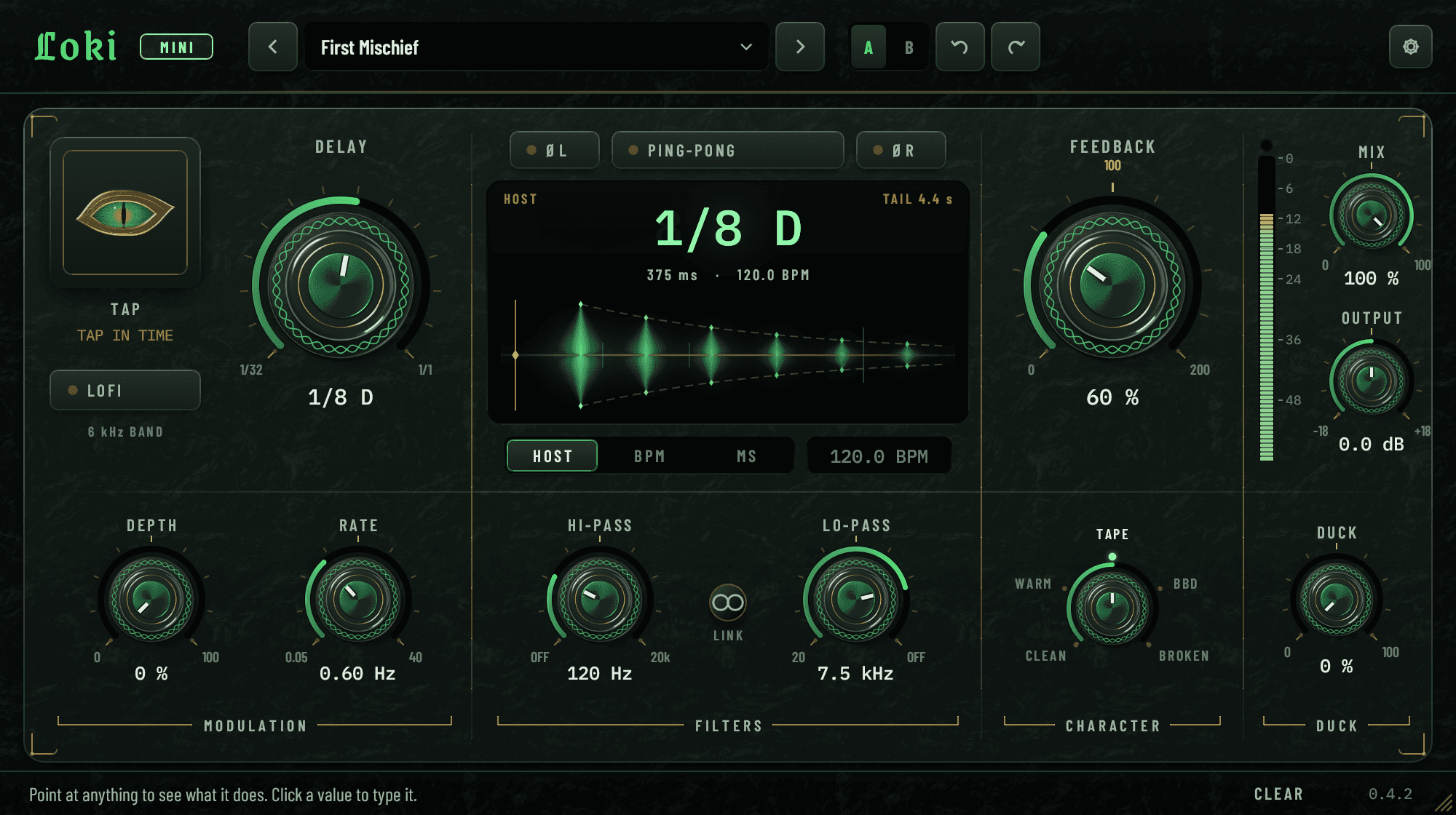
LOKI Delay Mini: the echo display with delay, feedback, modulation, filters, character and duck controls

How it works

Installed and activated by Cadencea Vault.

  1. Get it here

    Get LOKI Delay Mini for free. The license goes to your Cadencea account.

  2. Open Cadencea Vault

    Sign in with the same account. Cadencea Vault is free for Windows and macOS.

  3. Go to Plugins

    Your plugins are listed in Vault under Plugins, ready to activate on this computer.

  4. Install

    Vault activates the license on this computer and installs the plugin for your DAW.

System requirements

What you need.

Windows
Windows 10 or later, 64-bit (x64). VST3 and CLAP.
macOS
macOS 12 or later, universal (Apple Silicon and Intel). VST3, CLAP and Audio Unit.
Install and activate
Cadencea Vault, free for Windows and macOS, signed in with your Cadencea account.
Computers
No limit.

FAQ

Licenses, computers and Vault.

Who owns the license?

Your Cadencea account. The license follows the account, not a computer: sign in to Cadencea Vault with the same account on any of your computers and your plugins are there.

How many computers can I use it on?

As many as you like. Free plugins have no computer limit.

Do I need Cadencea Vault?

Yes, to install and activate. Cadencea Vault is free for Windows and macOS.

Which formats and systems are supported?

VST3 and CLAP on Windows 10 or later (64-bit) and macOS 12 or later (Apple Silicon and Intel), plus Audio Unit on macOS.